

Restore by website
Saved rules are associated with the website hostname.
A LITTLE SPACE OF YOUR OWN
Cover webpage elements with color, blur, or your own images. Make space for what you want to show.
Try the effectsNo account. Saved in your browser.
FIELD NOTES
A little less distraction. A little more focus. Start with the small space in front of you.
Less noise.
More possibility.
Feature illustration | Not an actual webpage capture
Pick an effect and see this small part of a page change. Bring the original content back at any time.
Keep the outline. Let the details recede.
01 / SELECT & REFINE
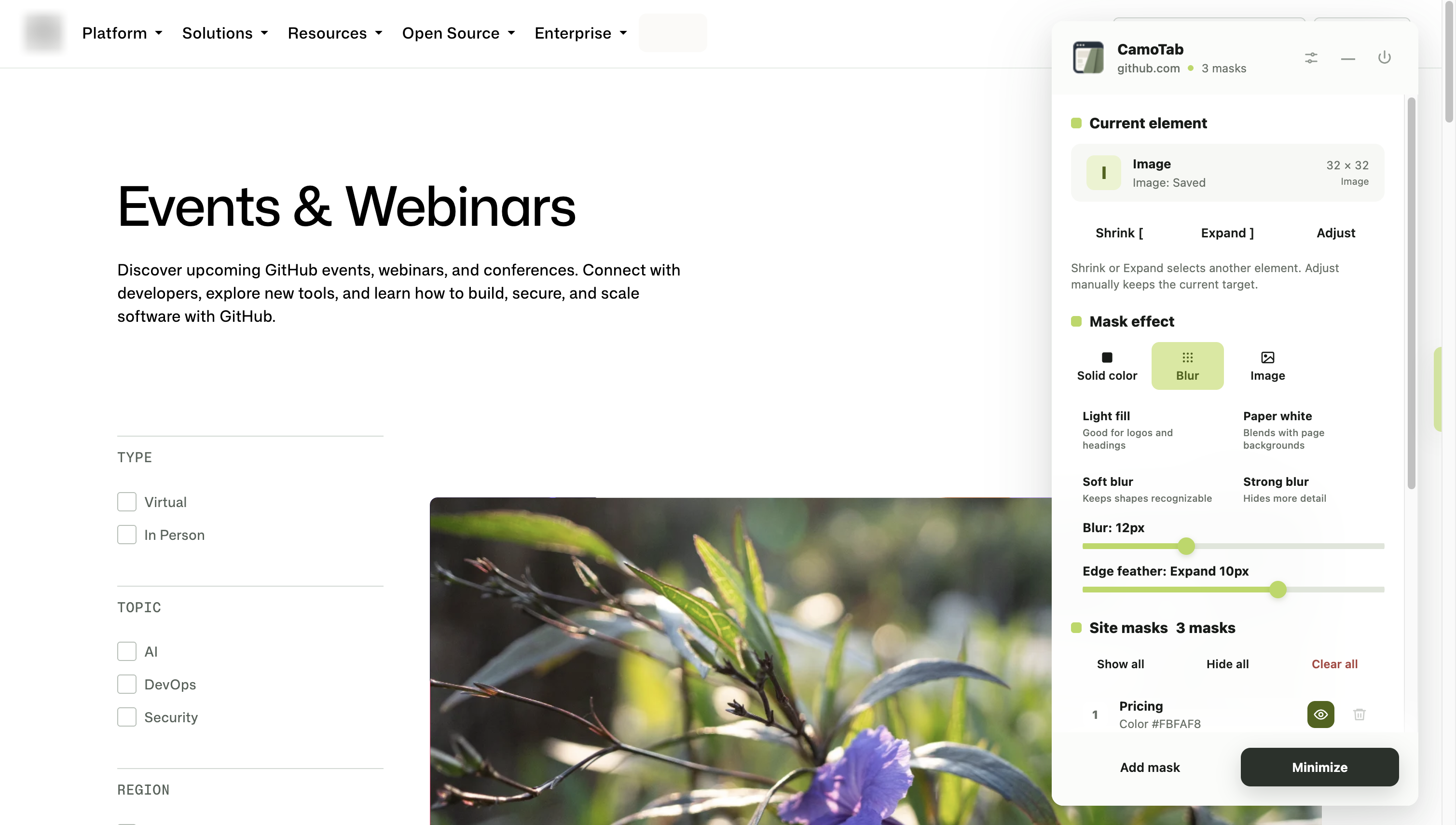
Choose a webpage element, then adjust its area and effect. Color, blur, and edge feathering live together in one compact workbench.
Expand, shrink, or manually adjust the mask area.
Reorder overlapping masks. Show or hide each one.
 View full screenshot
 02 / SAVE & REUSE
Save masks for the pages you visit. Turn a useful setup into a template. Restore saved masks when you return, with less adjusting along the way.
Saved rules are associated with the website hostname.
Save, search, update, and apply reusable templates.
Share changes across tabs in the same browser profile, with save-conflict detection.
03 / SHOW & HIDE
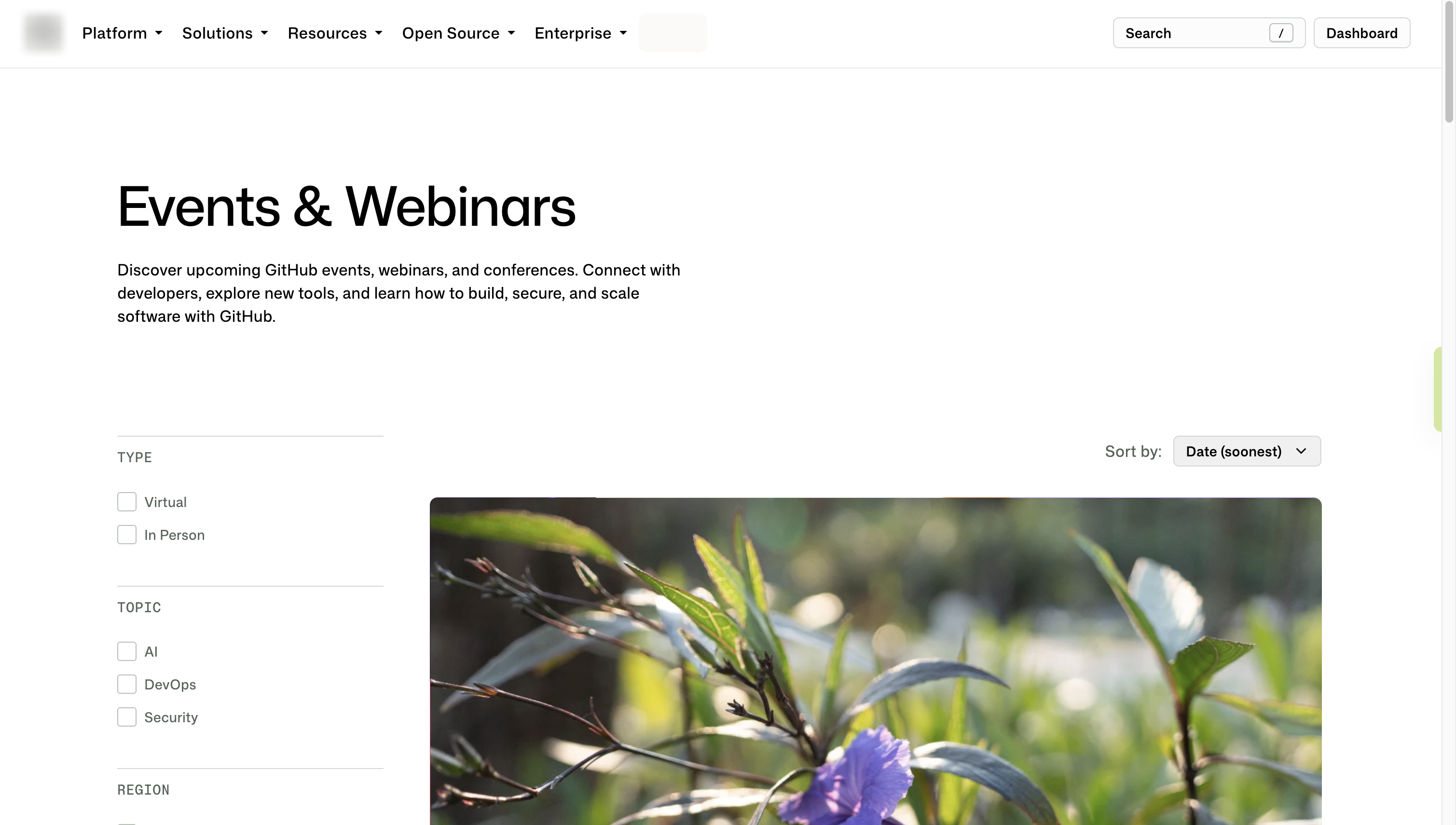
Minimize the workbench to a small edge handle. Double-click the handle to toggle masks; click once to open the workbench again.
 View full screenshot
 Actual extension screenshots | GitHub public events page example
YOUR BROWSER. YOUR SETTINGS.
No account, ads, analytics, or cloud sync in CamoTab. Your rules, templates, and chosen images stay in local browser storage.
See how your data is handledNo. Masks change the view in your browser. They do not change the original content on the website’s server or what other people see.
Website hostnames, short selected-element labels, selectors, mask settings, templates, chosen images and filenames are stored in Chrome’s local extension storage. Labels may contain personal information from the selected page. See the privacy policy for details.
Browser internal pages, the Chrome Web Store, and elements inside unsupported frames or shadow roots cannot be selected directly. Matches can also be lost on dynamic pages.
No. Visual masking does not delete or securely redact the original content. Content can become visible during loading, navigation, layout changes, or lost matches. Check the actual page before recording or sharing your screen.
CamoTab is preparing for its first Chrome Web Store release. The official installation link will appear here once it is available.
GET IN TOUCH
For help, feedback, or privacy requests, reach out by email. Please leave out passwords and unnecessary sensitive information.
Visual masking does not delete or secure the underlying content.